
Why this helps
A case number gives your issue a stable reference. Keeping replies in one conversation helps the support team understand what happened without rebuilding the history from separate emails.
Sign in and open Account menu → Support, or visit brandasset.nu/support.
Open a useful support case
Choose the issue category
Under Open a new case, choose Using the product, Account and access, Billing and plan, Something isn’t working or Other. Choose the closest match.
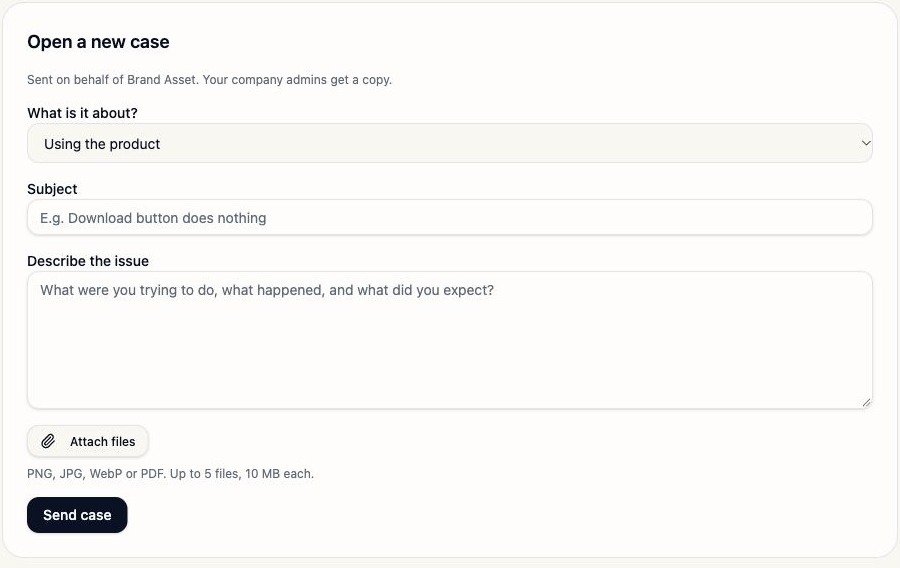
Cases are opened from the signed-in product. Your company admins receive a copy.Brand Asset test workspace · 5 November 2026 · select the image to enlarge. Explain what happened
Use a specific Subject and describe what you tried, what happened and what you expected. Include the page, approximate time and timezone, relevant campaign or asset reference, and any exact error message.
Subject: Image edit cannot start after I paint a selection

Page: Create → Edit image → Change an area
What I tried: Painted the mug and entered a removal instruction.
What happened: Make change stayed disabled.
Expected: The edit should start after a selection and instruction.
When: 5 November 2026, 10:20 CET
Already tried: Checked the remaining allowance and reopened the editor.
Attach relevant evidence
Select Attach files and include a screenshot of the affected control or a relevant PDF. Crop to the issue while keeping enough context to identify the page. Remove passwords, access tokens and unrelated customer information.
Attachment limitsYou can attach up to 5 files. Accepted formats are PNG, JPG, WebP or PDF, with a maximum of 10 MB per file.
Send and record the case reference
Review the description and files, then select Send case. Wait for confirmation before leaving the page. A case reference uses the format BA-YYYY-NNNN, for example
BA-2026-0001. Keep your actual reference for follow-up.Good to knowThe example case number shows the format only. It does not refer to a case created for this guide.
Continue in the same case
Return to Support and open the relevant case in the case list. Read the latest response and add further information in that conversation. Company Admins can see the company case list; Creators see Your cases, containing their own conversations.
You receive a case acknowledgement by email, and the case stays available in the product. Use View case in the email to return to the conversation. Check the in-app notification bell for updates. Company Admins are copied into company cases; Brand Asset’s support team uses its admin desk. Do not reply to the notification email: the email explicitly says replies to that address are not read. Open the case in the product rather than starting a separate email thread. Use All cases to return to the list, or enter a reply in Reply and select Send reply to continue the current conversation.
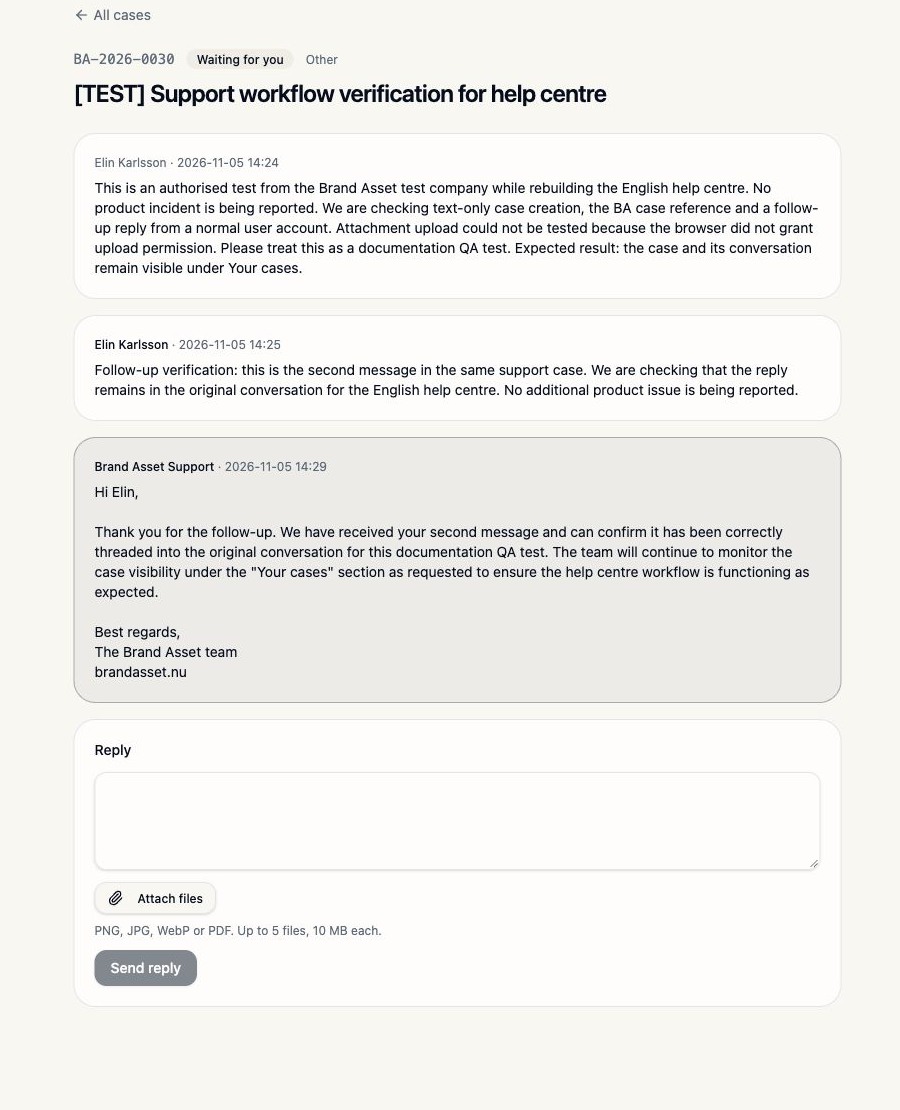
A real test case confirms the BA-YYYY-NNNN format. Keep follow-ups in the same conversation.Brand Asset test workspace · 5 November 2026 · select the image to enlarge.
Understand email and in-app updates
The acknowledgement shows your case number and subject. Follow View case to continue in the product. Support replies and case updates use the same case reference; check the notification bell when you are signed in.
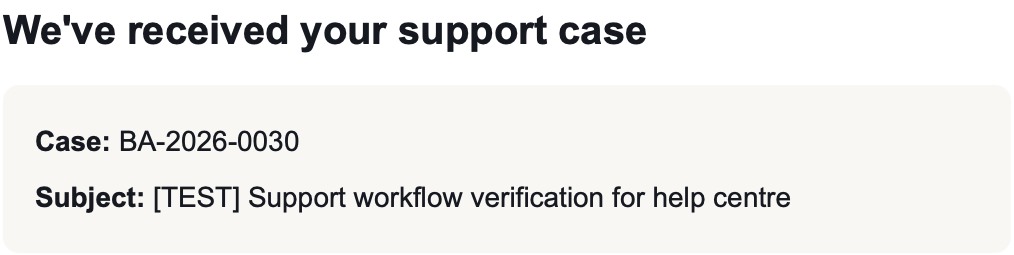
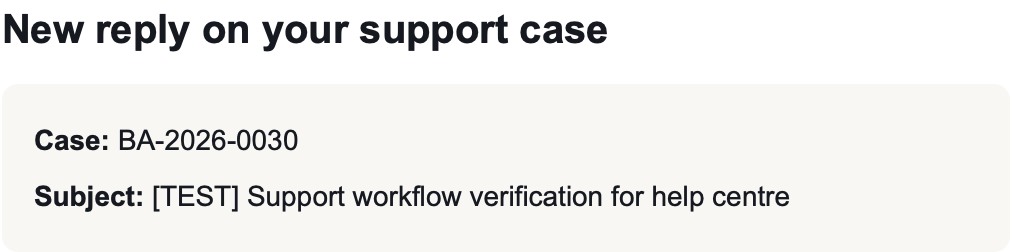
Company Admins receive a copy of company cases. After support replies, the notification bell can show Support replied on BA-YYYY-NNNN. Select it to open the case. The case page may show Waiting for you when your response is needed.
Support hours and expectations
The Support page lists Monday to Friday, 09:00–17:00 Swedish time (CET/CEST). Use the current availability message in the product. The acknowledgement email says the team usually replies within one business day. Treat that as a typical response expectation, not a guaranteed resolution time.
If another person has the same issue, add the relevant detail to an existing company case where you have access. A single clear conversation is easier to investigate than duplicate reports.
Do’s and don’ts
| Do | Avoid |
|---|---|
| Include steps, expected behaviour and actual behaviour. | Send “it does not work” without identifying the action. |
| Attach a focused screenshot with safe context. | Include passwords, authentication codes or secret links. |
| Continue the conversation under the same reference. | Create a new case for every follow-up. |
| Wait for confirmation after sending. | Assume an unsuccessful or unconfirmed send created a case. |
If you cannot open or find a case
Why does Send case show a validation error?
Add a specific subject and a description of the issue. The empty-form test showed the message “Add a short subject”. Check attachment formats, sizes and counts too.
Why can’t I attach my file?
Use PNG, JPG, WebP or PDF, no larger than 10 MB each, and keep the total to five files. Use a safe crop or smaller export if needed.
Where is my case number?
Look in the confirmation and the case details after a successful send. If you did not see confirmation, check the case list before trying again.
I cannot sign in to open Support.
Ask your Company Admin to raise an Account and access case on your behalf. Use the password recovery option on the sign-in page if you have forgotten your password.