
Why this helps
The logo is placed on the image at export from your approved files, so it is always sharp and correct. New images keep the chosen corner calm so the logo stays readable.
You need the Company admin role. Open Company → Logos. Creators see the result under Brand settings in Create and in the Export menu.
Set logo placement
Check the logos in your Brand Guide
The top row shows the approved versions: Full color, Dark (for light backgrounds) and Light (for dark backgrounds).
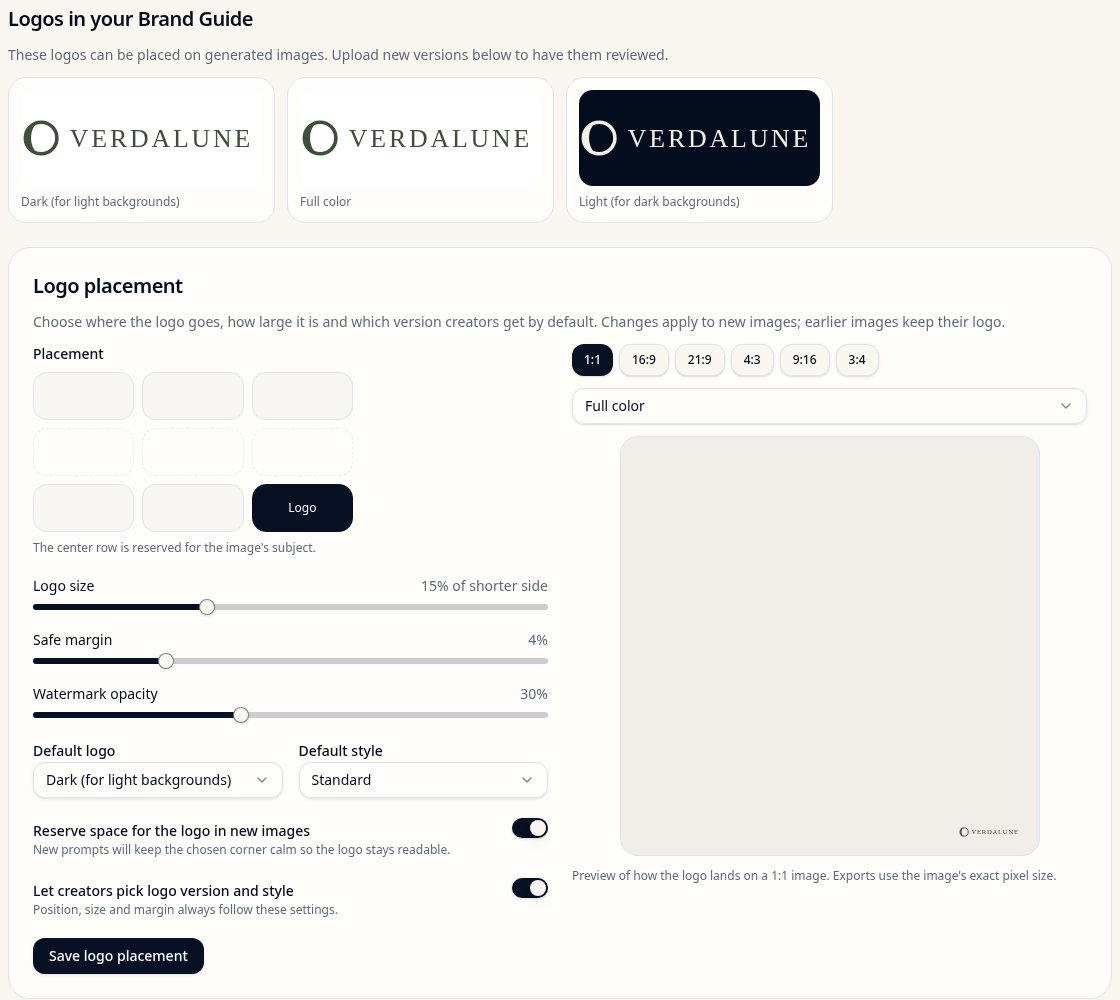
Choose the corner, size and defaults; the preview shows the result per format.Brand Asset test workspace · 19 November 2026 · select the image to enlarge. Choose corner, size and margin
Select a corner in Placement. The centre row is reserved for the image’s subject. Set Logo size (share of the image’s shorter side), Safe margin from the edge and Watermark opacity for the see-through version.
Pick defaults and creator choice
Choose the Default logo and Default style (Standard or Watermark). Reserve space for the logo in new images keeps the corner calm in new prompts. Let creators pick logo version and style adds the other versions to the Export menu; position, size and margin always follow your settings.
Preview and save
Switch between 1:1, 16:9, 21:9, 4:3, 9:16 and 3:4 and the logo version to check the preview, then select Save logo placement. Changes apply to new images; earlier images keep their logo.
Pro tipA watermark at 30% can be hard to see on light images. Check a real export before choosing watermark as the default.
Send new logo files
Under Upload logos for review, choose up to 4 PNG or SVG files, up to 5 MB each, add a note such as which file is for dark backgrounds, and select Send for review. Use transparent backgrounds. Brand Asset checks the files and adds them to your Brand Guide; until then the current logos are used.
How creators use it
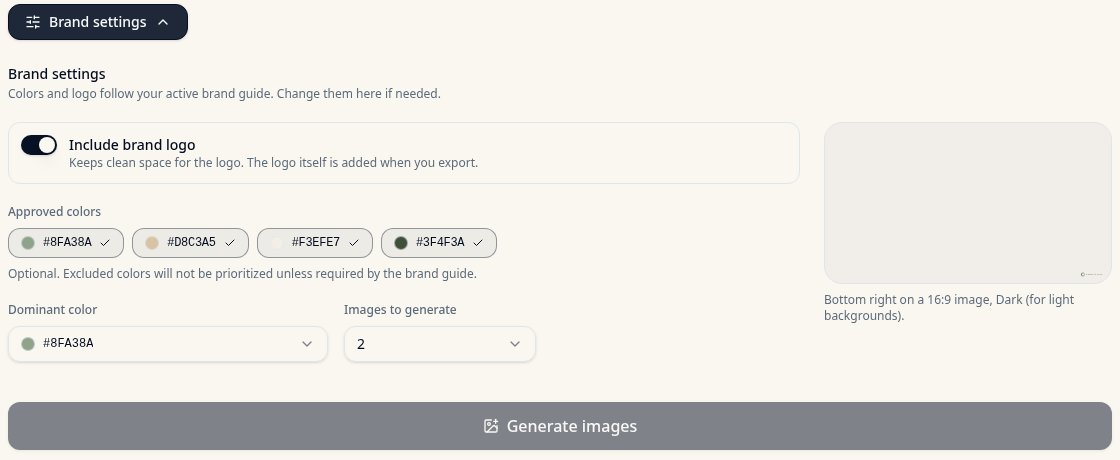
In Create, Brand settings → Include brand logo shows a small preview of where the logo lands on the chosen format. When exporting, the default and any allowed versions appear under With brand logo. See Export options.
If the logo looks wrong
The logo is barely visible.
It is probably the watermark style or a dark logo on a dark image. Choose Standard, raise the opacity or pick the Light version.
An Export option says not uploaded.
That logo version is missing. Send the file for review under Upload logos for review.
I changed the placement but an old image did not change.
That is intended. Each image keeps the logo settings it was created with.