
Your brand rules, built into every image.
Brand Asset is a brand governance and AI image generation platform. It turns your existing brand guidelines into a working creation system, so marketing teams can create brand-compliant images without starting from the brand rules every time.
Try free for 7 days with 50 credits. No card needed. Personal onboarding included. Plans from €89/month.

AI made content generation easy. Brand control became harder.
With general AI tools, every person has to remember the brand: visual style, approved colours, composition, tone, exclusions, logo use, campaign rules and formats.
The user shouldn't have to remember the brand guidelines. The system should.
Turn brand guidelines into working rules.
- Create a Brand Guide from your company website or guideline documents
- Approved colours, visual style, lighting and subject guidance
- Composition rules, do's and don'ts, forbidden elements
- Platform-specific rules, plus logo variants and placement
- Sage#8FA38A
- Sand#D8C3A5
- Chalk#F3EFE7
- Moss#3F4F3A
- Natural daylight from the left
- Product off-centre, generous negative space
- Oak, linen and stone surfaces
- Muted, earthy tones
- Hand-made textures
- Calm, uncluttered scenes
- Neon or saturated colours
- Plastic or glossy props
- Text or logos in the image
From a simple idea to a brand-aligned asset.
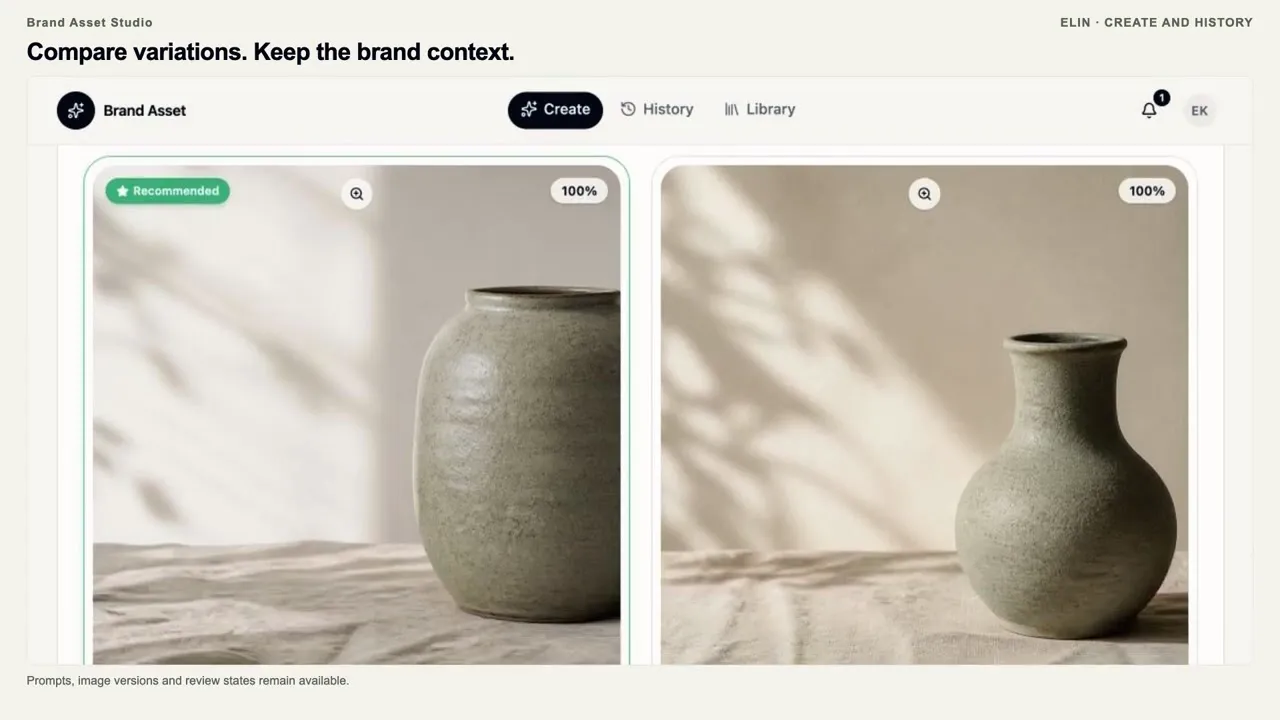
“Our new sage mug on a breakfast table, calm morning feeling, for the spring newsletter.”
Soft natural window light, sage stoneware mug on pale oak, clear negative space on the left for the headline…


The Asset Brief: compliance score, warnings, corrections, cropping, alt text and SEO filename
A handmade sage stoneware mug on a pale oak table, soft north-facing window light, muted sage, sand and chalk tones, generous negative space on the left. No text, no logos in the image.
- Background adjusted to the approved brand palette
- Conflicting visual treatment removed (high-gloss studio look)
- Negative space reserved according to campaign rules
- Composition
- Subject in the right two-thirds; calm left third for copy.
- Cropping
- Keep the mug handle inside the frame on 1:1 and 9:16 crops.
- Alt text
- Sage stoneware mug on a pale oak breakfast table in morning light.
- SEO filename
- verdalune-sage-mug-breakfast-table-16x9.jpg
Let teams create. Keep the brand under control.
Spread content creation across your company without spreading out brand control.
Brand governance without becoming the bottleneck.
- Team access controlled by your verified company domain
- Clear roles: creators, approvers and company admins
- Your company's own Brand Guides, logo rules and brand rules
- Each company works in its own workspace, separated from other customers by access controls
- Company adminSara L.sara@verdalune.example
- ApproverJonas P.jonas@verdalune.example
- CreatorElin K.elin@verdalune.example
Review before anything goes live.
- Approve, request changes or reject with a comment
- Resubmissions are kept as new revisions, never overwritten
- Approved images can be published to the shared library
- Reviewers only ever see their own organisation's assets
- Awaiting reviewAutumn mug launch · SocialSubmitted by Elin K.
- Changes requestedNewsletter header · OctoberSubmitted by Jonas P.
 ApprovedCategory page · TablewareSubmitted by Sara L.
Know what was created, how and why.
- Original idea, optimised brief and Brand Guide used
- Who created it, when, and in which format
- Compliance score and refinement history
- Approval state and publication status
- Original idea
- Stoneware mugs on an oak table, autumn morning
- Brand Guide
- Verdalune · v4
- Created by
- Elin K., Marketing
- Format
- 1:1 · Social post
- Compliance
- 94/100 · 2 corrections applied
- Refinements
- Warmer light → tighter crop
- Approval
- Approved by Sara L. · Published
See how the brand is being used.
- Images created and average compliance
- Issues corrected before generation
- Assets awaiting approval, approved and published
- Most-used formats
- 1:142%
- 16:927%
- 9:1619%
- 4:312%
One brand. Multiple assets.

The right logo. In the right place.
- Full-colour, light and dark logo variants
- Approved placement and sizing
- Export with or without the logo
Your product. In a scene shaped by your brand.


- Direct the next placement with position, scale, framing, lighting and a short note.
- Create up to three selectable placements in the same scene.
- Review the result alongside the original product photo and saved generation context.
AI can change product details, so every result needs review. Product Staging is not a replacement for exact packshots.
Included in plans with add-ons
Base + 1 add-on €165, Base + 2 add-ons €239 or Base + 3 add-ons €259 per month, billed annually. Base alone (€89) has no staging add-ons.
Your people. In scenes shaped by your brand.



- Keep a Persons library with reference photos, consent and an expiry date for each person.
- Create new poses that keep the person recognisable, with height and age taken into account.
- Usage is checked again at approval and publication, so lapsed consent blocks further use.
AI can change details of a face or body, so every result needs review before use.
Included in plans with add-ons
Base + 1 add-on €165, Base + 2 add-ons €239 or Base + 3 add-ons €259 per month, billed annually. Base alone (€89) has no staging add-ons.
Your software. On screens in your brand's world.
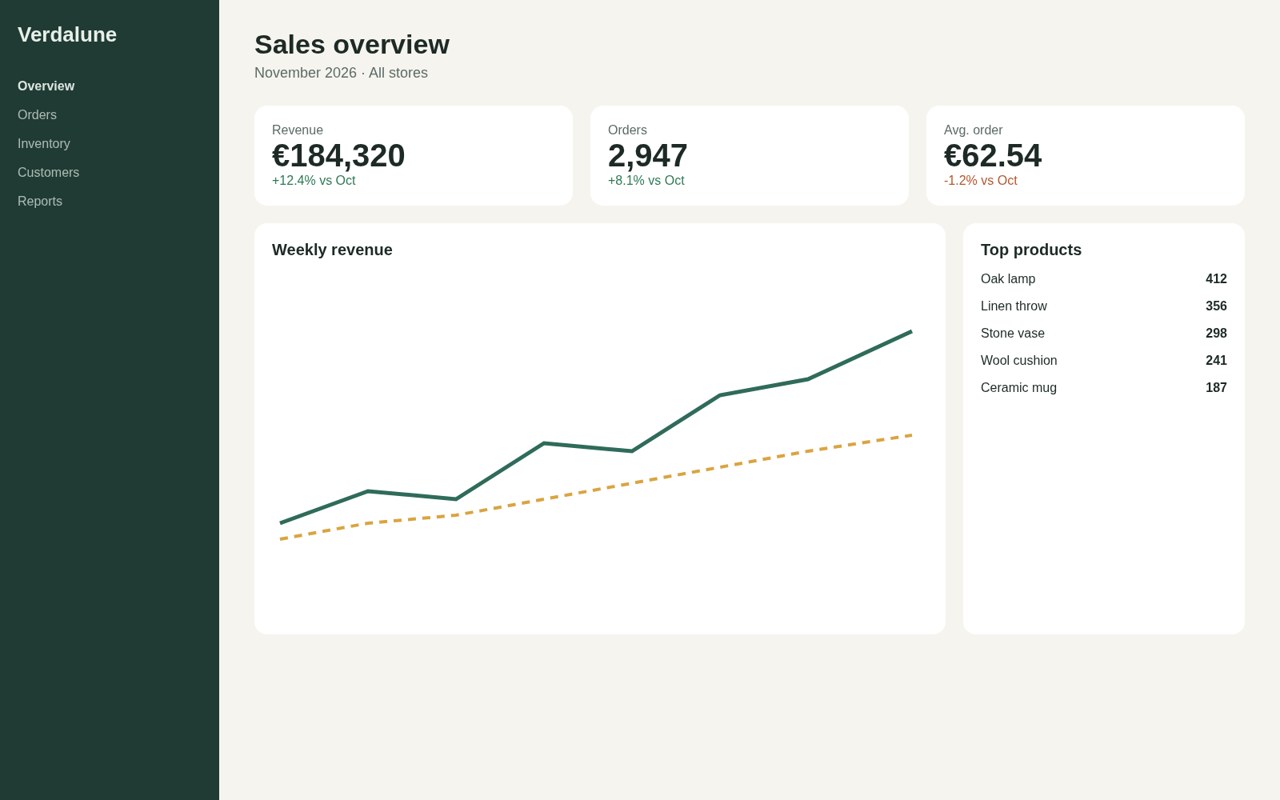
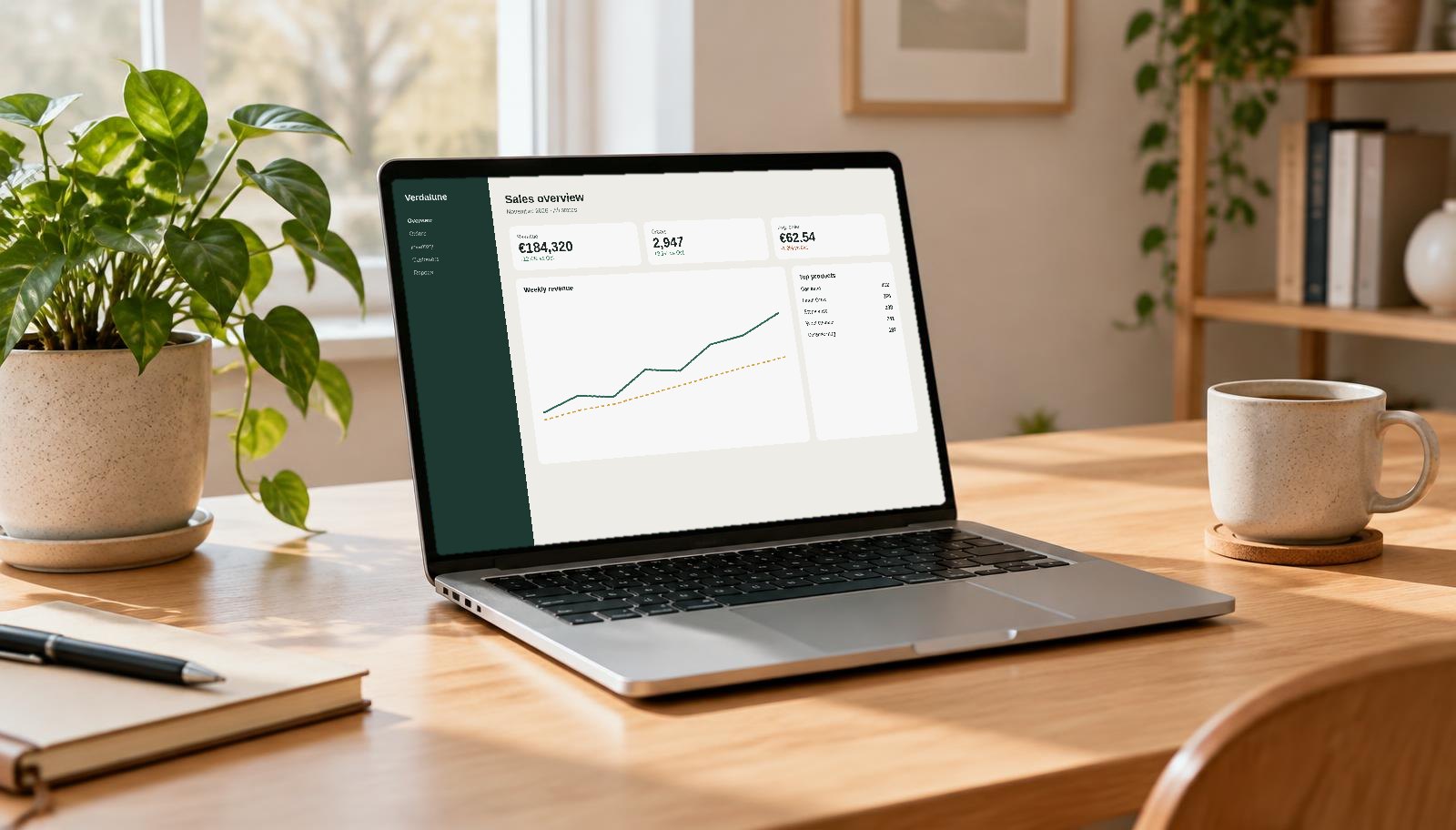

- A company screenshot library with named, versioned files, plus personal uploads in Create.
- Laptop verified; monitor, TV, tablet, phone and POS in Beta, upright or landscape to match your screenshot.
- Combine with Person Staging to show a colleague presenting your product, with the screen kept uncovered.
Every result is reviewed before use.
Included in plans with add-ons
Base + 1 add-on €165, Base + 2 add-ons €239 or Base + 3 add-ons €259 per month, billed annually. Base alone (€89) has no staging add-ons.
Built around your brand, not around the prompt.
| General AI tools | Brand Asset |
|---|---|
| Each person has to remember the brand | Brand rules are built into the workflow |
| Results depend on the prompt | Results follow the Brand Guide |
| Each generation starts over | Brand context carries through |
| Little governance | Company-level governance |
| Review happens by hand | Approval workflow |
| Little traceability | Prompt and asset audit trail |
| The logo is generated or added by hand | The approved logo is added at export |
Built for controlled creation, not free-form design.
- Brand Guide in, approved on-brand assets out
- Compliance is checked before anyone sees the image
- Your existing design tools stay part of the workflow

Built for teams that create a lot and care how it looks
Brand teams
Turn brand rules into a system people can actually use.
Marketing teams
Produce more campaign content without rebuilding the creative brief by hand.
Ecommerce teams
Create consistent content across categories, campaigns and formats.
Agencies
Manage brand-specific creation rules across client teams.
Distributed organisations
Let local teams create while brand governance stays central.
Plans and pricing
Try free for 7 days with 50 credits. No card needed. Explore Brand Asset with a demo brand, just to try it out. You can start a paid Base plan, with or without add-ons, at any time and get your own Brand Guide set up through onboarding.
Base
€89 / month
Billed annually (€1,068/year)
- 250 credits / month
- No staging add-ons
Base + 1 add-on
€165 / month
Billed annually (€1,980/year)
- 500 credits / month
- Choose 1 staging add-on
Base + 2 add-ons
€239 / month
Billed annually (€2,868/year)
- 800 credits / month
- Choose 2 staging add-ons
Base + 3 add-ons
€259 / month
Billed annually (€3,108/year)
- 1,200 credits / month
- All 3 staging add-ons
Included in every plan
- Brand Guide and compliance checks
- Unlimited team members
- Approval workflow and audit trail
- Area editing
- Personal onboarding
Staging add-ons: Product Staging, Person Staging and Screen Staging. A company admin can swap one active add-on once per monthly credit period.
How credits work
- 1 credit
- Scene, area edit or Screen Staging image
- 4 credits
- Person Staging image
- 5 credits
- Product Staging image
What a month can look like
- Base
- About 12 images per working day
- + 1 add-on
- 10 images per day, plus 70 Person Staging images
- + 2 add-ons
- 10 images per day, plus 60 Person and 70 Product Staging images
- + 3 add-ons
- As + 2 add-ons, plus 400 Screen Staging images
Automatic quality retries are never charged. Credits renew every month.
Larger organisation
Multiple company domains, Multiple brands and Brand Guides, Several approval groups, Larger teams and higher usage, Central governance, Tailored onboarding.
We set it up with you.
Explore Brand Asset
- How Brand Asset works
The seven steps from brand guidelines to an approved image.
- AI brand compliance
What is checked, how the score works and how logos are handled.
- Products and people
Stage your own products and real people in on-brand scenes.
- Software and screens
Your real software screenshots on devices in brand scenes.
- Brand Asset for marketing teams
Campaign visuals, consistency across creators and review history.
See Brand Asset live in 15 minutes
15-minute walkthrough
- 15 minutes
- Whereby video call, screen sharing included
- Times shown in Europe/Stockholm
Runs in your browser. No account or download needed.
November 2026
Loading available times…
Pick a day to see available times.